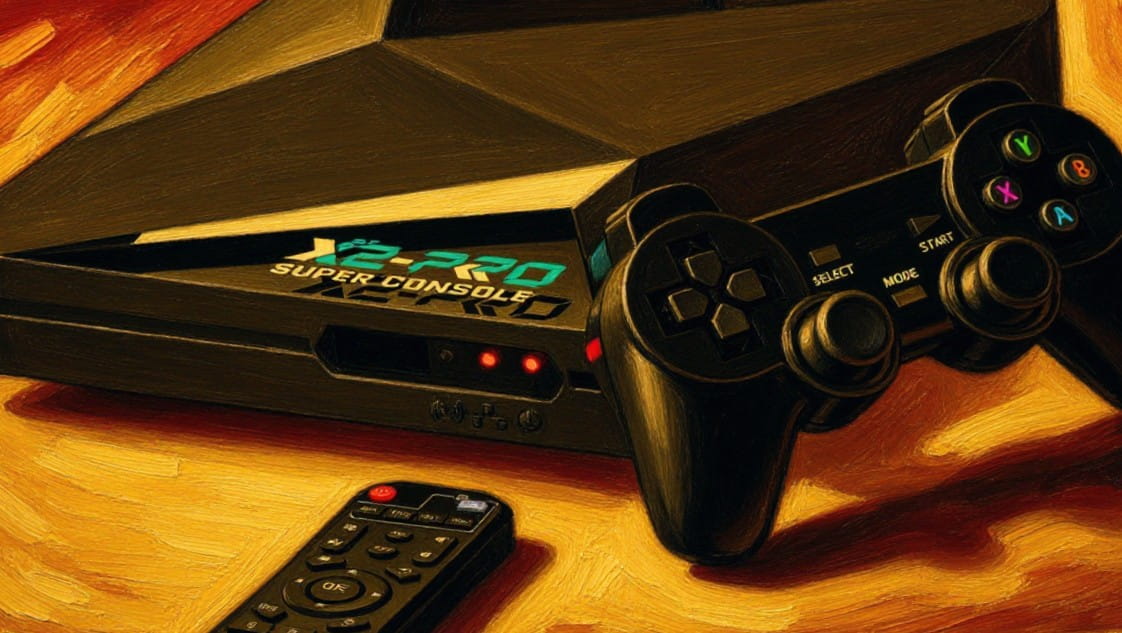

You’ll get a versatile, budget-friendly retro gaming hub and Android TV streamer that handles classic 8‑ and 16‑bit systems brilliantly while showing limits on heavier 32‑ to 128‑bit emulation. It runs EmuELEC plus Android on an Amlogic S905X2, offers solid Ethernet and dual‑band Wi‑Fi, and gives plug‑and‑play save/resume features. Expect some duplicate or unlabeled ROMs and occasional core tweaks. If you want specifics on performance, compatibility, and setup tips, keep going.
Key Takeaways
- Dual-boot setup: EmuELEC for retro emulation and Android 9.0 for streaming and apps.
- Hardware: Amlogic S905X2 with reliable 1Gb Ethernet and dual-band Wi‑Fi for smooth networking.
- Game library: Over 60,000 preloaded titles and 65+ emulators, though duplicates and unlabeled ROMs occur.
- Performance: Excellent for 8‑ and 16‑bit systems; mixed results on mid-range 32–64‑bit and limited for 128‑bit/PS2/Dreamcast.
- Controls and video: Low-latency input, stable 720p/1080p output, and configurable upscaling with minimal artifacts when tuned.
Quick Verdict: Is the Kinhank Super Console X2 Pro Worth It?
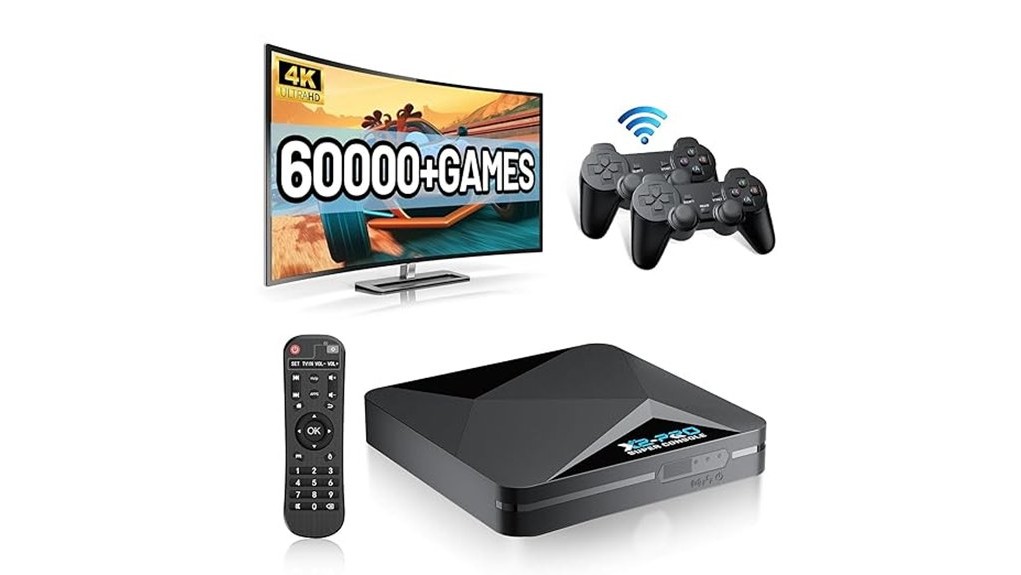
If you want an affordable, all-in-one retro gaming hub that also doubles as an Android TV streamer, the Kinhank Super Console X2 Pro is a strong pick—its EmuELEC + Android dual-system setup and Amlogic S905X2 chip give smooth emulation for thousands of classics while letting you stream 4K content when you’re done playing.
You’ll get 60,000+ preloaded titles, 65+ emulators, reliable 1000M Ethernet and dual-band Wi‑Fi, plus plug-and-play saves and favorites.
It’s a liberating, budget-friendly device if you want versatility and performance; support and warranty options help mitigate risk.
Overall, it’s worth buying.
Best For: Retro gaming fans who want an affordable, all-in-one console that combines extensive emulation (60,000+ games, 65+ emulators) with Android TV streaming and smooth performance.
Pros:
- Dual EmuELEC + Android 9.0 systems let you switch between retro gaming and 4K streaming easily.
- Amlogic S905X2, 1000M Ethernet, and dual‑band Wi‑Fi deliver smoother emulation and reliable online performance.
- Plug-and-play with save/resume, favorites, and easy game management for a hassle-free experience.
Cons:
- Preloaded game library size/quality may include duplicates or unlabeled ROMs, requiring manual organization.
- Emulation experience can vary by title/emulator; some advanced systems may need tweaks for optimal play.
- Android 9.0 is dated compared with newer TV boxes, potentially limiting app compatibility or future updates.
Test Setup and Performance: X2 Pro Emulation (8‑ to 128‑Bit)
Having outlined what the X2 Pro offers in daily use, let’s look at how it actually performs across systems from 8‑bit to 128‑bit.
You’ll test using consistent hardware specifications: X2 Pro stock firmware, SSD storage, wired controller, and latest emulator builds.
Run performance benchmarks across representative titles to record frame‑rate stability, input latency, and game loading times.
Focus on emulator compatibility by noting which cores hit full speed and which need tweaks.
The user interface affects practical throughput — faster menus and save/load states free you to experiment.
Results should empower you: reliable 8‑ and 16‑bit performance is expected, mid‑range 32‑ to 64‑bit varies with core optimization, and heavier 128‑bit efforts highlight system limits and overclock opportunities.
Compatibility: What Games Run, What Fail, and Which Cores
While the X2 Pro handles a broad swath of retro titles, compatibility depends heavily on the emulator core and game-specific quirks.
So you’ll see near-perfect results on well-supported 8‑ and 16‑bit systems but more variance as you climb to 32‑, 64‑, and 128‑bit libraries.
You’ll find most of your classic game library runs with stable frame rates under the right core, but expect failures where cores lack accurate hardware emulation.
Consult the compatibility list before importing large collections; it shows which ROMs need alternative cores or patches.
Emulator support is strong for NES, SNES, Genesis, and many handhelds, while Dreamcast, PlayStation 2, and obscure CD systems show performance issues.
Prioritize core functionality that matches each platform for reliable play.
Video & Display Behavior: HDMI, Upscaling, TV, and CRT Notes
The X2 Pro sends a solid, configurable HDMI signal that makes it easy to play on modern TVs, but you'll want to tweak a few settings to get the best visual result.
You’ll appreciate the HDMI performance: stable 720p/1080p output and low latency for fast action. Explore Display settings to match your TV’s native resolution and reduce scaling work.
Upscaling techniques built into some cores and the system can help, but test them against native resolution to avoid softening. Watch for Visual artifacts like shimmering or incorrect pixel aspect ratios when using aggressive filters.
If you crave authenticity, CRT compatibility via external converters still works; expect manual adjustments and scanline options.
Tweak, test, and liberate your image to match taste.
Controls, Firmware, Build Quality, and Final Buying Recommendations
Because controls are where your experience feels most immediate, you'll want to know how the X2 Pro handles input, firmware, and construction before you buy.
You’ll find control responsiveness solid for most retro titles; analog dead zones are minimal and button travel is predictable. Firmware updates arrive intermittently — they improve emulation and fix bugs, but you should expect manual flashes for major changes.
Build materials feel utilitarian: a sturdy shell, matte finish, and press-fit seams that resist flex without pretending to be premium. Design aesthetics lean functional over flashy, which suits liberated users who value substance.
Comfort level is high for short-to-medium sessions; longer play benefits from third-party pads. Buy it if you prioritize openness, value, and reliable performance.
Frequently Asked Questions
Does the X2 Pro Support Online Multiplayer Over Wi‑Fi?
Yes — you can use Wi Fi capabilities for online gaming; you’ll access multiplayer options via console connectivity, but expect variable network performance depending on local signal and server support, so plan for occasional lag and connection drops.
Can It Play Drm‑Protected Modern Digital Purchases?
No — you’ll face DRM challenges: Digital purchases tied to platform accounts and modern gaming DRM rarely work on this hardware. Console compatibility and Streaming services are limited, so you’ll need open-source or sideloaded alternatives for freedom.
What File Formats Does the Media Player Accept?
Boldly branching: you’ll browse broad media formats. You’ll get clear file compatibility across common video codecs (H.264, H.265, VP9), audio formats (MP3, AAC, FLAC) and solid image support (JPEG, PNG) for freedom-focused use.
Is There an Official Warranty and Regional Service Support?
Yes — you’ll get warranty details and a return policy; customer support covers limited service locations. You’ll need product registration to access regional service and support; check specific service locations and terms before purchasing.
How Long Does the Internal Battery Last During Handheld Use?
You’ll get roughly 3–6 hours of battery performance during handheld gaming, depending on power management and settings; that affects your user experience and gaming sessions, so optimize brightness and background tasks to maximize liberated playtime.
Conclusion
You’ll feel like you’ve smuggled a tiny arcade into your living room — the Kinhank Super Console X2 Pro punches way above its weight, handling most 8‑ to 64‑bit gems flawlessly and even flirting with heavier systems. It’s not flawless — some cores stumble, firmware needs polish, and the case feels budget — but for the price you’ll get hours of sharp nostalgia, solid HDMI output, and surprisingly capable upscaling. Buy it if you want huge retro bang for small bucks.